Skip to content
4.8·2M+ happy users

Bring your photos to life

PicAlive turns a single still photo into a realistic, AI-generated moving video. Pick a photo, tap once, and watch faces smile, hair sway, and the moment come alive — no editing, prompts, or accounts.

Free to download · No account or login required · iPhone & iPad

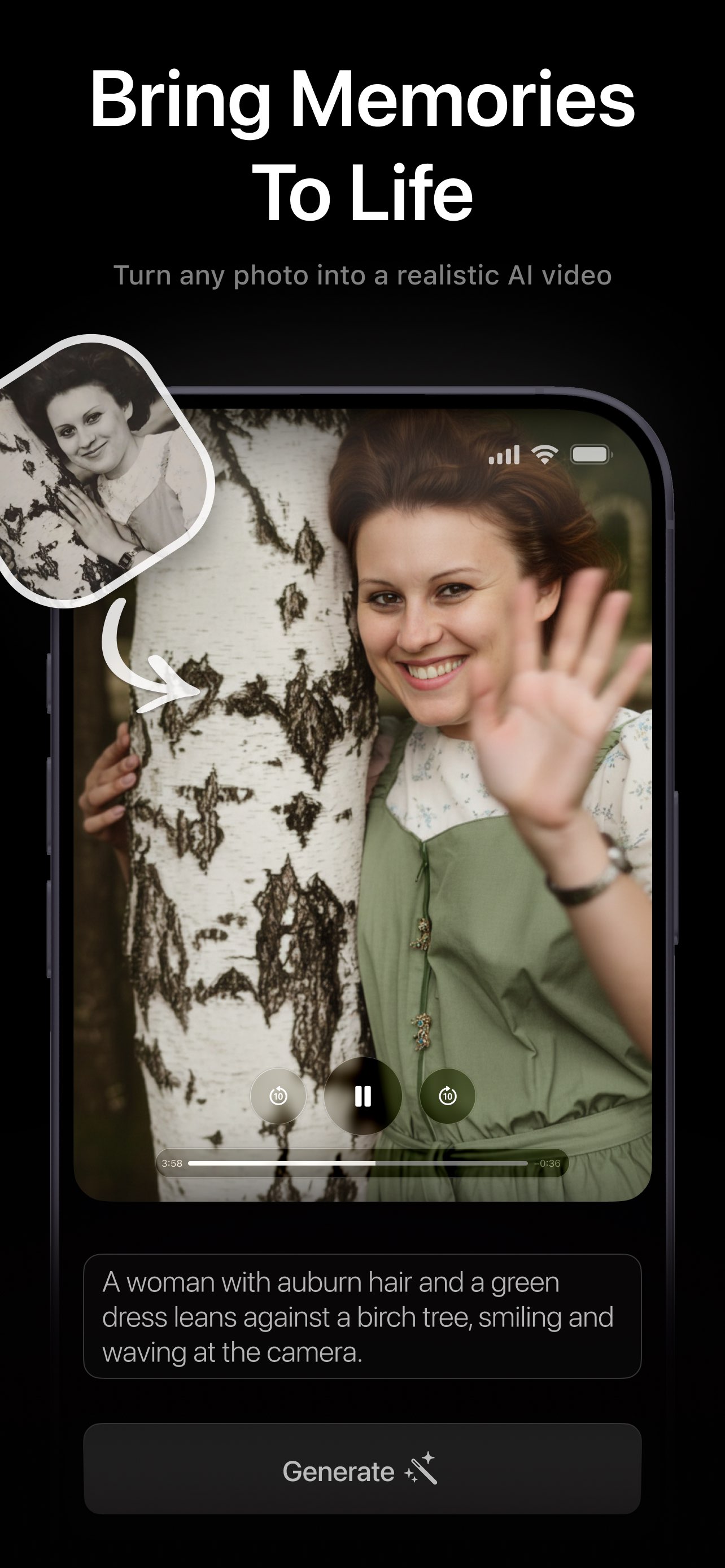
PicAlive turning an old black-and-white portrait into a realistic moving video of a smiling woman in a green dress waving beside a birch tree
App Store rating
4.8
Happy users
2M+
Five-star ratings
1,250
To make a photo move
1 tap
Why PicAlive

Effortless, realistic, and ready to share

A sophisticated AI capability, distilled into the simplest possible experience. Everything about PicAlive is built around one delightful moment: a still photo coming alive.

Effortless

One photo, one tap

No prompts to write, no styles to pick, no timelines to edit. Choose a photo, tap Make Alive, and PicAlive handles the rest automatically.

Realistic

Natural, believable motion

Faces smile, hair sways, water ripples, and light shifts — motion that feels captured on camera, not a cartoon filter slapped on top.

Shareable

A real video, ready to post

Every result is a standard video clip. Save it to your camera roll or send it straight to Messages, Instagram, TikTok, and anywhere else.

How it works

From still photo to living video in four steps

The whole product is one loop — and it stays that simple every single time.

  1. 01

    Choose a photo

    Open the picker and pick any image from your library — an old family portrait, a selfie, your pet, a landscape. PicAlive optimizes it automatically.

  2. 02

    Tap Make Alive

    One tap uploads your photo. You never write a prompt or choose a style — PicAlive figures out the right, natural motion on its own.

  3. 03

    Watch the queue

    A live progress ring shows whether it's processing or waiting in line, counting down the minutes so you always know what's happening.

  4. 04

    Save & share

    Your video plays on a loop the instant it's ready. Save it to Photos or share it anywhere — the moment is now a clip you can keep.

Old photos

Bring frozen memories back to life

Old family portraits, childhood snapshots, and photos of people no one ever filmed — PicAlive gives them natural motion, so a smile or a wave you never got to see finally happens.

  • Works beautifully on scanned or screenshotted old photos
  • Colorizes and animates faded black-and-white portraits
  • Restores the feeling of a moment, not just the image
  • A quietly emotional way to relive a memory
Explore what to animate
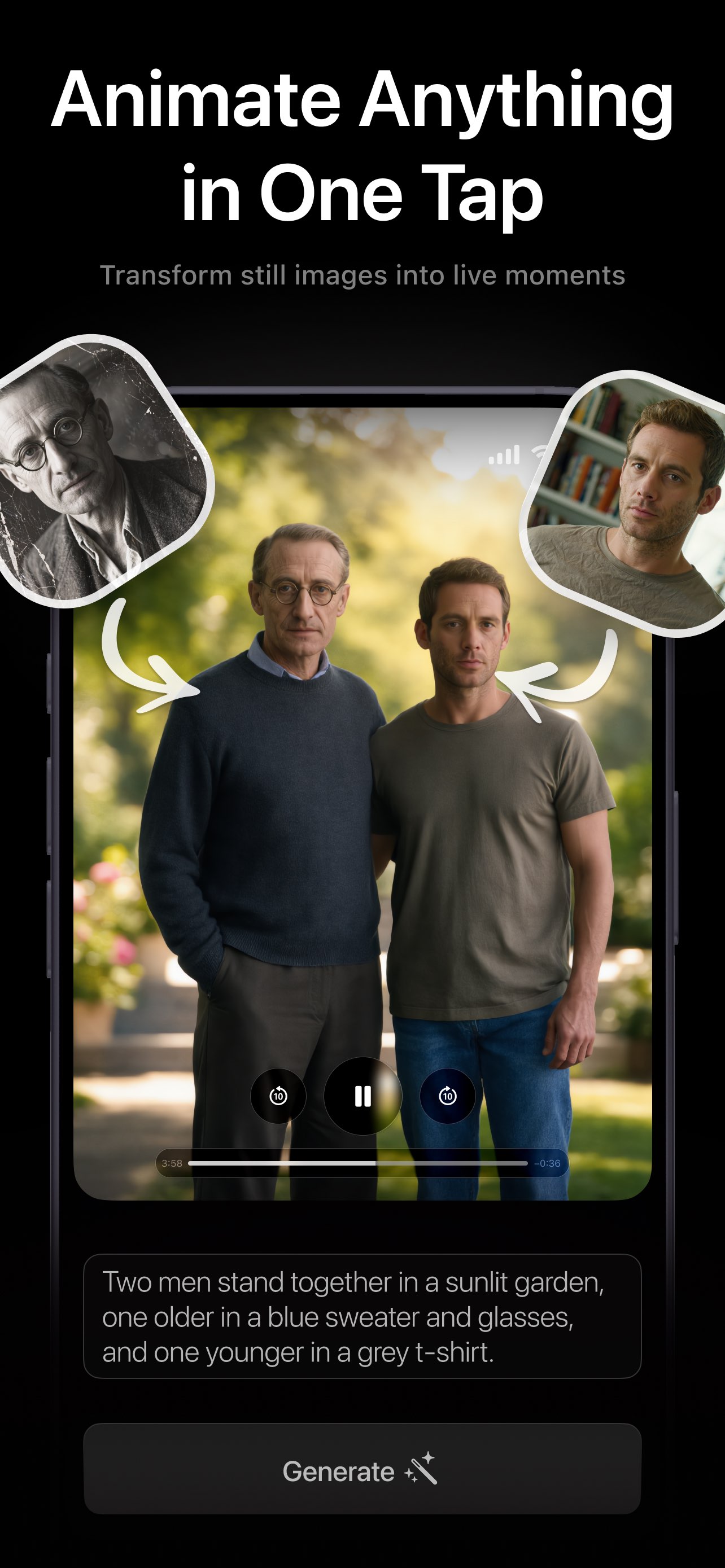
PicAlive animating two separate still photos into one lifelike video of an older man and a younger man standing together in a sunlit garden
One tap

Animate anything — in a single tap

There are no prompts to write, no styles to choose, and no timeline to edit. You provide the photo; PicAlive works out the right, believable motion automatically and returns a finished video.

  • No prompt writing or settings to learn
  • The animation is generated for you on the server
  • Portraits, pets, landscapes, and scenes all work
  • A finished, standard video every time
How the magic works
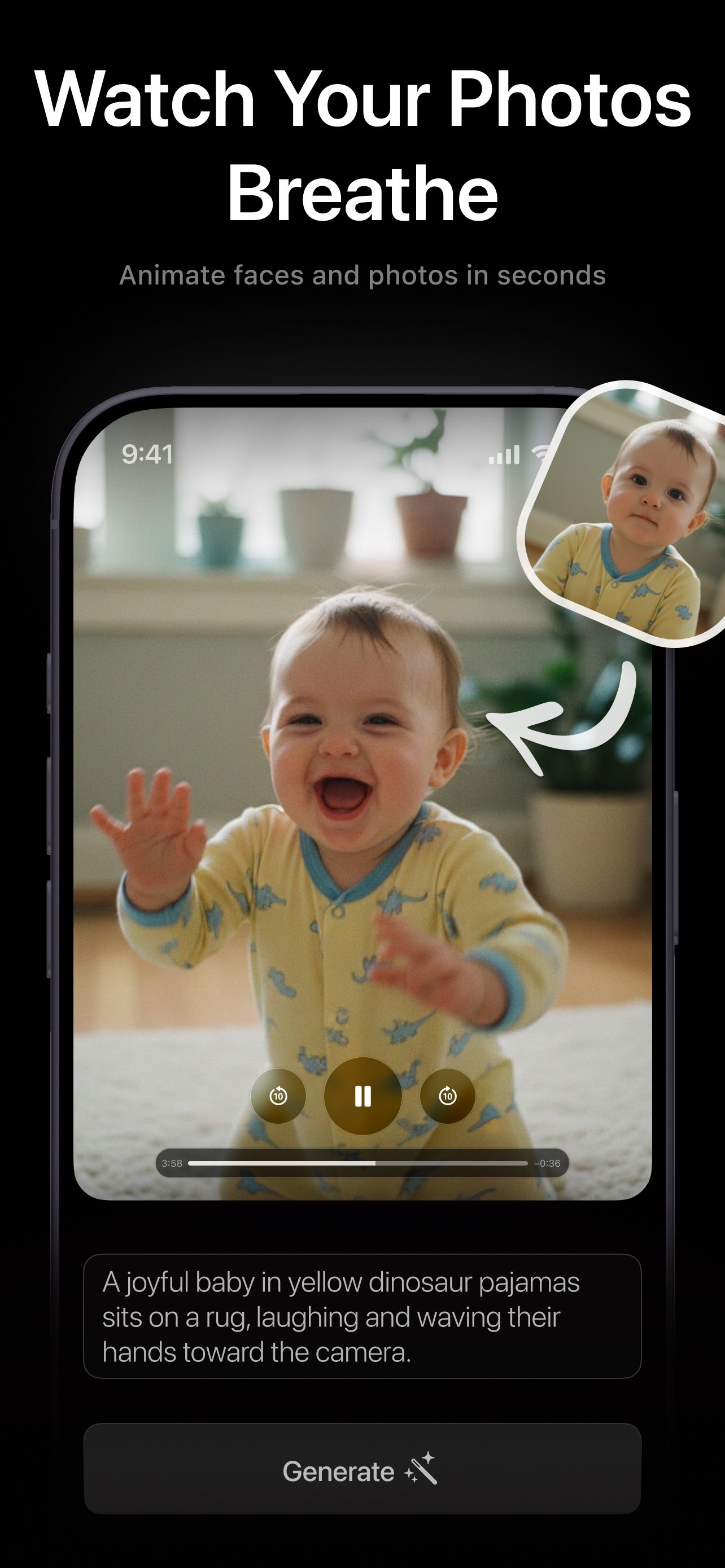
PicAlive bringing a baby photo to life as a video of a laughing baby in yellow pajamas waving toward the camera
Save & share

A real video you can keep and post

The result plays on a loop the instant it's ready. Save it to your camera roll or share it straight from the iOS share sheet — a clip that's genuinely fun to send to friends and family.

  • Auto-playing, looping result you can replay
  • One-tap save to your Photos library
  • Share to Messages, Instagram, TikTok, and more
  • Every clip is kept in your history to revisit
Explore save & share
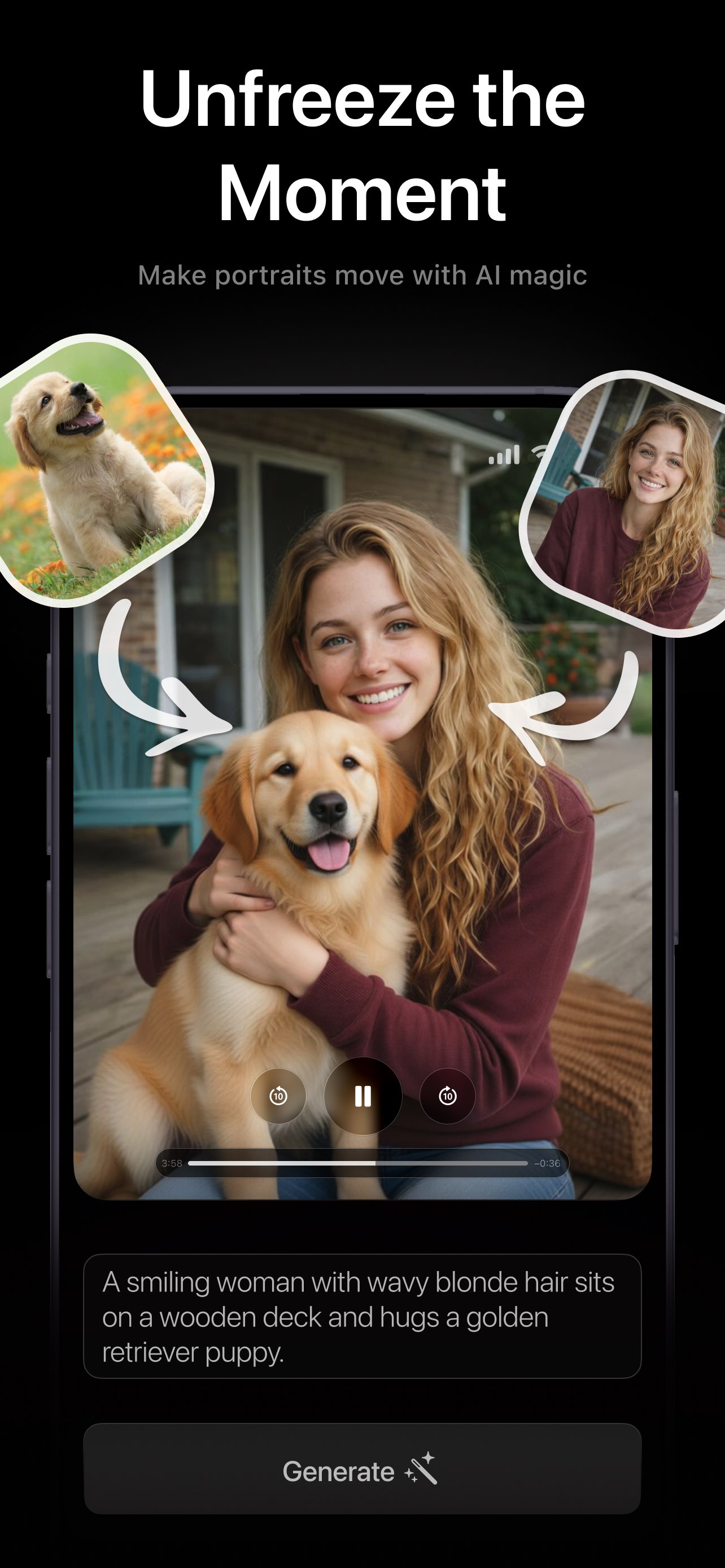
PicAlive animating a portrait into a moving video of a smiling woman with wavy blonde hair hugging a golden retriever puppy on a deck
Features

Everything you need in one simple app

PicAlive keeps the whole experience to a single, focused loop — and makes every part of it feel effortless.

One-tap Make Alive

Pick any photo and tap once. There's nothing to configure — PicAlive writes the animation for you on the server and sends back a finished clip.

Lifelike, realistic motion

The AI animates faces, hair, water, foliage, and background depth so the moment moves the way it would have if you'd filmed it.

Live queue & progress

A progress ring shows “Processing” or your place in line with a friendly countdown, refreshed every few seconds while you wait.

Save & share instantly

Download the finished video to your Photos library or hand it to the native iOS share sheet — Messages, Instagram, and more.

Your history, kept safe

Every generation lands in your library. Replay a favorite, re-animate the same photo, or delete a clip whenever you want.

No account, ever

No login, email, or password. An anonymous device identity gets you creating in seconds and keeps the whole experience frictionless.

Examples

What people bring to life

From decades-old portraits to pets, landscapes, and social content — if it's a photo, PicAlive can make it move.

Nostalgia seekers

Old family photos, moving again

The problem — Decades-old portraits are the only record of grandparents, childhood, and moments no one ever filmed — frozen and silent forever.

With PicAlive — Feed a scanned or screenshotted photo to PicAlive and watch it move — a smile, a turn of the head, a wave — bringing the memory back to life.

Animate a black-and-white portrait of your grandmother and see her smile and wave as if the camera had kept rolling.

Everyday sharers

Portraits & selfies that come alive

The problem — A great portrait is still just a still. You want people to stop scrolling and feel like they're really looking at you.

With PicAlive — Turn any selfie or portrait into a short, lifelike clip where you move and react — perfect for a profile, a story, or a surprise.

Upload a favorite selfie and get a living video where you smile and glance at the camera, ready to post.

Pet lovers

Pets brought to life

The problem — Your best photo of your dog or cat catches the look perfectly — but it's over in a frozen instant you can never replay.

With PicAlive — PicAlive animates fur, ears, and expression into a warm, playful clip that captures your pet's personality in motion.

Animate a photo of your puppy on the porch and watch it blink, breathe, and tilt its head.

Loved by users

Join 2M+ people already creating

PicAlive holds a 4.8-star rating in the App Store. Here's what a few of them say.

Turned my photo into a realistic moving video in seconds. I actually gasped when my grandma waved back at me.
Elena M.Brought old photos to life
Watching my old photos move felt unreal — like the memory came back to life on my phone.
Marcus T.Nostalgia seeker
Just upload a photo and it starts moving. So simple and fun! My whole family group chat is obsessed now.
Priya S.Everyday sharer
I animated a photo of our dog and it captured his little head tilt perfectly. Can't stop watching it loop.
Dani R.Pet lover
No prompts, no settings, no editing. One tap and a still selfie became a clip good enough to post to my story.
Jordan K.Content creator
My travel shots finally feel like the moment I remember — the waves and clouds actually move now.
Sofia L.Travel photographer
Free to start

Try it free. Go PRO when you're hooked.

Animate your first photo for free — no account, no credit card. Upgrade to PicAlive PRO for unlimited, watermark-free videos with priority processing whenever you want more.

  • First animation free during onboarding
  • PRO: unlimited generations, no limits
  • PRO: no watermark, no ads
  • PRO: priority, faster processing
The AI Journey family

More AI creativity beyond PicAlive

PicAlive is part of a broader suite of AI creativity apps. Explore the companions built by the same team.

FAQ

Frequently asked questions

Everything you need to know to get started. See the full FAQ.

What is PicAlive?
PicAlive is an iOS app that turns a single still photo into a short, realistic, AI-generated moving video. You pick a photo, tap Make Alive, and a few minutes later you get a lifelike clip where faces, hair, water, and other elements move naturally — as if the moment had been filmed.
Do I need any editing or prompt-writing skills?
None at all. There's nothing to write, choose, or tune. You provide the photo and PicAlive handles everything else automatically — the animation instructions are generated on the server, so the whole process is one tap.
Is PicAlive free?
Yes — PicAlive is free to download and try. Free videos carry a small PicAlive watermark and have usage limits, with occasional ads. PicAlive PRO unlocks unlimited, ad-free, watermark-free videos with faster, priority processing.
Do I need to create an account?
No. PicAlive has no logins, emails, or passwords. You're assigned an anonymous, secure device identity so you can start creating immediately.
Which devices does PicAlive support?
PicAlive runs on iPhone and iPad with a dark-mode interface, and adapts cleanly from a phone in your hand to a larger iPad screen.

Bring your first photo to life today

Download PicAlive free and turn a still photo into a living, shareable video in seconds.

Rated 4.8 by 2M+ happy users